
Still searching for the right place?
Use Map AI to explore, compare, and find the best fit - all with detailed insights and smart reports on any neighborhood.

Demographics by Radius for Any US Address in 2 Minutes


October 26, 2026

6 min to read
How to get demographics by radius for any US address in 2 minutes
TLDR: open Demographics by Radius, type a US address or coordinates and pick it from the list. A few seconds later you have population, income, age, education and housing for 1, 3 and 5 miles around it, next to the county and the state. The first five addresses need no sign-up.
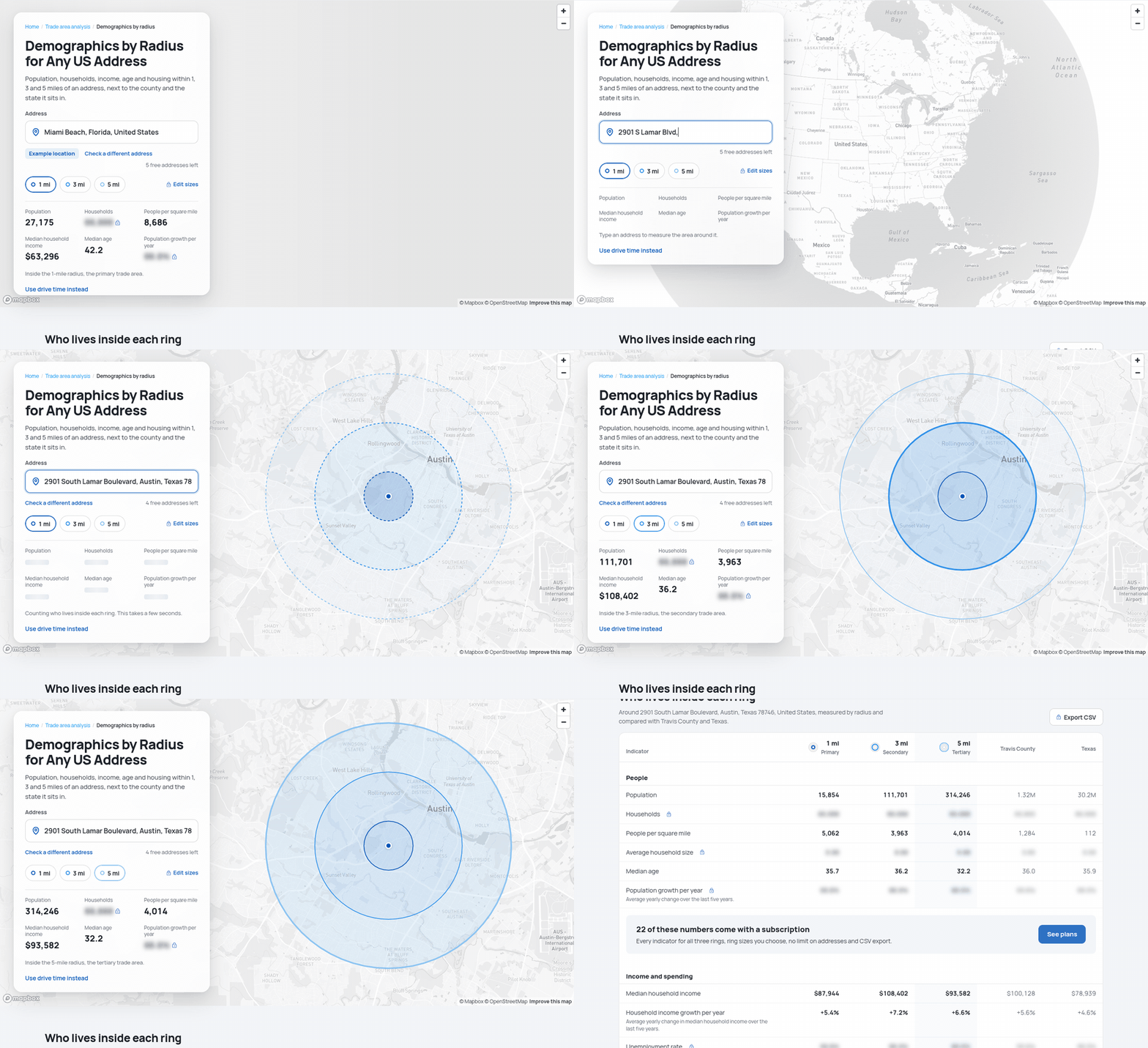
Every listing flyer, offering memorandum and lender package asks the same question: who lives within 1, 3 and 5 miles of this site? Esri, CoStar and pay-per-report sites charge for that table, and drive time is usually an extra.
Map AI's Demographics by Radius page builds it for free, for any address in the United States. Here is the whole process on a real site, 2901 South Lamar Boulevard in Austin, Texas, followed by what the numbers say about it. The lookup itself takes seconds; reading the result takes a couple of minutes.
Step 1: type the address
Open interactive-map-ai.com/demographics-by-radius. The page opens on an example location so you can see a finished result before typing anything. Click Check a different address, type the address and pick the right match from the list.
No street address yet? Vacant lots and pad sites work too. Type the coordinates, latitude first, either as decimal degrees (33.7490, -84.3880) or in the degrees, minutes and seconds format Google Maps shows, and the rings are drawn around that exact point.
Step 2: read the three rings
The map draws three circles around the address and the card shows the headline numbers for the selected ring. The outlines are dashed while a ring is still being counted and turn solid when its numbers are in, usually within a few seconds.
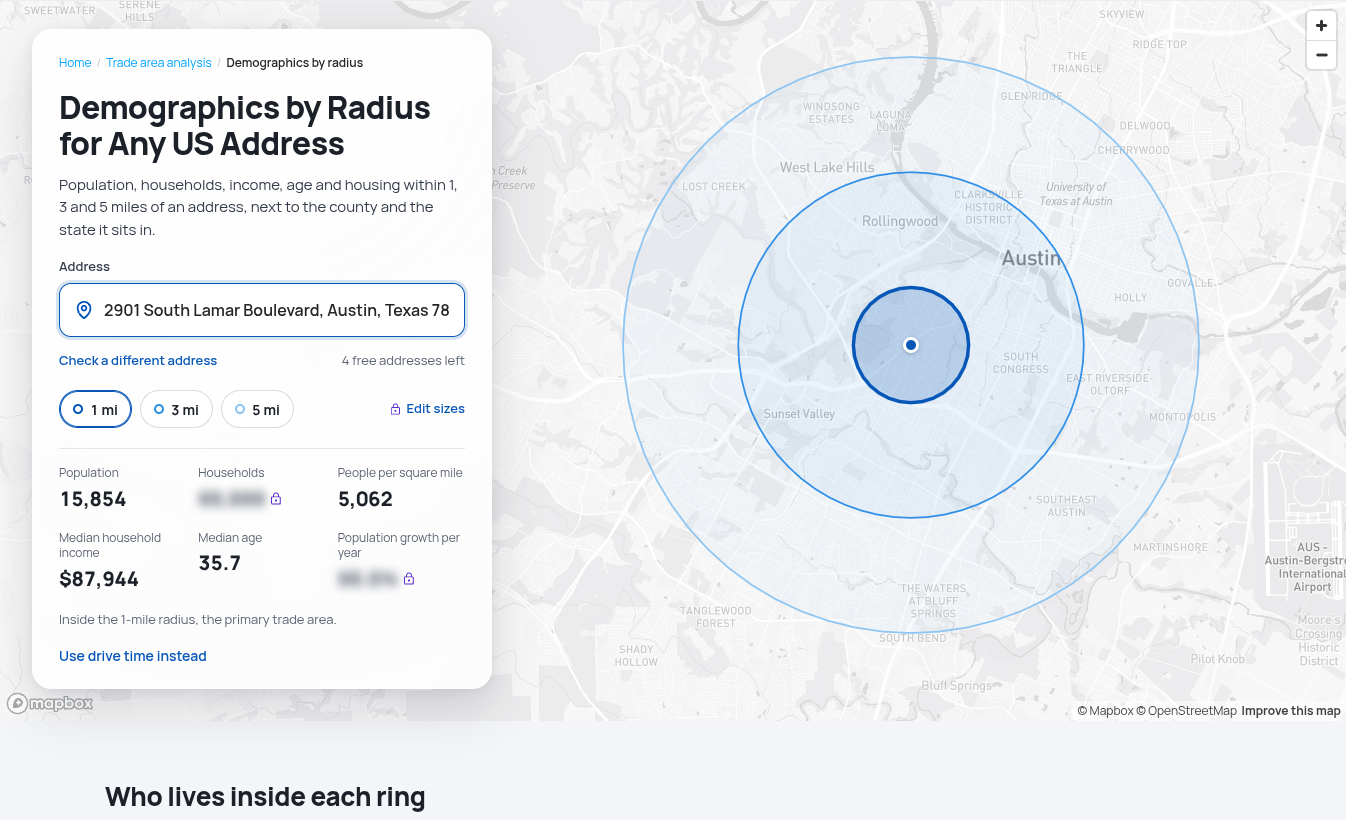
For 2901 South Lamar, the 1-mile ring holds 15,854 people at 5,062 per square mile, with a median age of 35.7 and a median household income of $87,944. Click 3 mi or 5 mi to switch rings. At 5 miles the count reaches 314,246 people and the median age drops to 32.2.
Step 3: line the rings up against the county and the state
Scroll down to Who lives inside each ring. This is the 1-3-5 mile table, with two more columns that make it far more useful: the county and the state the site sits in. A number on its own says little; a number next to its county and state tells you whether it is high or low.
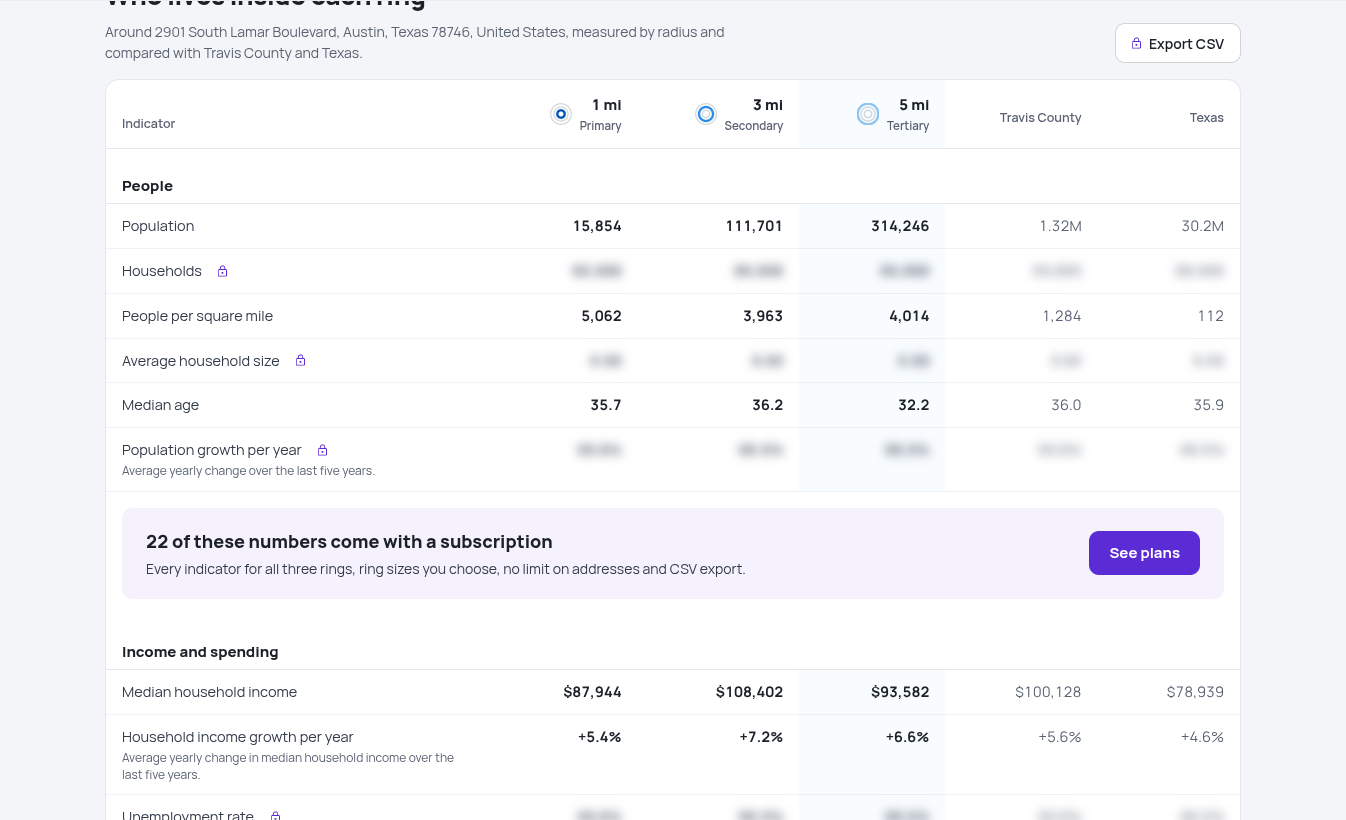
Here are the indicators anyone can open without an account:
| Indicator | 1 mile | 3 miles | 5 miles | Travis County | Texas |
|---|---|---|---|---|---|
| Population | 15,854 | 111,701 | 314,246 | 1.32M | 30.2M |
| People per square mile | 5,062 | 3,963 | 4,014 | 1,284 | 112 |
| Median age | 35.7 | 36.2 | 32.2 | 36.0 | 35.9 |
| Median household income | $87,944 | $108,402 | $93,582 | $100,128 | $78,939 |
| Household income growth per year | +5.4% | +7.2% | +6.6% | +5.6% | +4.6% |
| Bachelor's degree or higher | 65.7% | 64.0% | 52.2% | 50.1% | 29.3% |
| Homeownership rate | 31.8% | 37.7% | 38.8% | 52.2% | 62.6% |
| Life expectancy, years | 77.7 | 79.0 | 79.1 | 79.8 | 78.0 |
What the table says about this site
Reading across the rows takes about a minute and already answers the questions a tenant, a lender or a franchise developer would ask.
- The money is around the site, not at it. Median household income peaks in the 3-mile ring at $108,402, 23% above the 1-mile ring and 37% above the Texas median. When incomes rise as the rings widen, the strongest spenders live a short drive away rather than next door, and the site has to pull them in.
- The walk-in neighborhood is renters with degrees. Only 31.8% of homes in the 1-mile ring are owner-occupied, against 52.2% in Travis County and 62.6% in Texas, while 65.7% of adults hold a bachelor's degree, more than twice the state's 29.3%. That points to a fitness studio, a coffee shop or a restaurant rather than a hardware store.
- The 5-mile ring gets younger. Median age falls from 36.2 at 3 miles to 32.2 at 5 miles, as the wider ring takes in the University of Texas campus. A concept that needs students should look at the outer ring; one that needs families should look elsewhere.
- Incomes are climbing fastest in the middle ring. Household income grew 7.2% a year in the 3-mile ring over the last five years, against 5.6% for the county and 4.6% for the state.
None of this replaces a site visit, but it tells you which questions to ask on it, and it fits on a flyer.
What is free and what a subscription adds
Without an account you get five different addresses, then one new address a day, and checking an address you already looked up again costs nothing. Population, density, median age, median household income and its growth, education, homeownership, life expectancy, air quality and Map AI's health, income and education grades are open to everyone. A free account opens a few more, such as the population and income trend since 2016.
A subscription opens every indicator in the table, including households and household size, unemployment, commute and work from home, home values and rents, and places nearby such as restaurants, grocery stores and clinics. It also unlocks the age and income charts, removes the address limit, lets you set each ring anywhere from 0.25 to 15 miles and adds CSV export for Excel or Google Sheets.

For this site, the subscriber view adds the details a broker would put on page two: 38.3% of workers in the 1-mile ring work from home, against 14.4% across Texas; households average just 1.68 people; and 73 restaurants, cafes and bars already sit inside the first mile, 1,069 inside five. The trend chart shows median household income in the 5-mile ring up 66.1% since 2016.
Radius or drive time?
A radius is a straight-line circle. It is quick, identical for every site and easy to compare, which is why reports use it. It ignores roads, though: near a river, a coastline or a highway with no exit, a circle counts people who would need half an hour to reach you.
When the question is who can actually get to the door, use demographics by drive time, which works the same way but follows real roads at typical midday traffic. To weigh both shapes on one page with primary, secondary and tertiary trade areas, open trade area analysis.
Where the numbers come from
People, income, housing and work come from the US Census Bureau's American Community Survey five-year estimates, health from the CDC and County Health Rankings, air quality from the EPA and nearby places from OpenStreetMap. Census figures are published for block groups and tracts, not for circles, so each ring is computed from the census areas it overlaps. The same method runs for every address, which keeps two sites comparable.
The numbers in this article were read from the tool for 2901 South Lamar Boulevard, Austin, Texas, in October 2026. Places nearby are counted from volunteer-mapped OpenStreetMap data, so treat them as a baseline for comparing rings rather than an exact business count.
See more
Get demographics by radius for your own address, or open this Austin example and check every number above.
More guides: trade area demographics in seconds and how to compare two locations' demographics.

Retirement-friendly

or dominated by young professionals.

Understanding factors like age demographics, neighborhood income, crime rates, and education ranking allows you to feel the vibe of the area more deeply. With Map AI, it’s a breeze to dig into the demographics of any area!
Open mapInstead of manually compiling data from multiple sources, our platform provides real-time insights, saving you time and effort while delivering accurate and actionable information.
Here’s how it works:
1. Launch the platform in your browser.
2. Find the location you’re interested in, by entering an address on the left.
3. Choose the level of data granularity – 1 mi, 5 mi, county or a state.
4. In the menu bar on the right, go to the "Charts" section and select "Population".
5. Click on the neighborhood you’re curious about to view the data.
And voilà!
An interactive map pops up, layered with data on age groups, income brackets, education levels, and even population density.

It’s like having a real estate crystal ball! Whether you’re prioritizing schools, nightlife, or a specific community vibe, Map AI helps you match your lifestyle to the perfect spot. No more guessing or endless Googling—just actionable insights in a few clicks.
Ready to explore? Head to https://interactive-map-ai.com/ and start mapping your future neighborhood today!
Map AI makes exploring demographics easy with its interactive, user-friendly platform. Offering detailed maps and customizable filters, Map AI lets you visualize key demographic data such as age distribution, population density by county, by zip and less, median household income map, and family structures across different neighborhoods. You can access real-time data to make more informed decisions about where to live based on the community that best matches your needs and lifestyle.
Open mapBy using Map AI, you’ll save time and gain a deeper understanding of your potential new home, ensuring you choose the perfect neighborhood for your future.
Check my neighborhoodHere’s why school rankings matter and how Map AI can help you make the best choice.
Why school rankings matter1. Property Value Impact
Homes located in areas with top-rated schools tend to have higher property values and greater potential for long-term appreciation. School quality is a key factor that many homebuyers consider, even if they don’t have children, because it signals a desirable neighborhood with solid community investment.2. Better Educational Opportunities
For families, the proximity to high-ranking schools can be a major deciding factor. Good schools provide better educational opportunities for children, which can translate into future success. Access to quality education is often viewed as a key benefit of living in certain neighborhoods.3. Community Environment
A strong school system often attracts young families, creating a vibrant, family-friendly community. This can lead to a positive social environment with access to various community activities, events, and local organizations.
How Map AI makes comparing school districts simple
Map AI simplifies the process of comparing school districts by offering interactive maps that display school rankings across different neighborhoods.

With just a few clicks, you can visualize how schools in a specific area stack up against each other, compare performance ratings, and see reviews from local residents.
Open mapBy using Map AI, you can make informed decisions about where to buy, ensuring that the neighborhood not only fits your lifestyle but also provides access to the best educational opportunities. Whether you're focused on top-performing schools or simply want to know how a school compares in the area, Map AI makes this data easily accessible and actionable.
Incorporating school rankings into your property search is easy when you have the right tools. With Map AI, you can confidently select a neighborhood that provides excellent education for your children and enhances your home’s long-term value.
For a comprehensive, data-driven approach to analyze a neighborhood, Map AI is the tool you can't afford to miss.
Compare neighborhoodsHow Map AI makes сrime heatmaps easy to use
Map AI takes the power of crime heatmaps to the next level with its user-friendly platform. With just a few clicks, you can explore crime rates by neighborhood that display real-time crime data across America. Map AI’s intuitive interface allows you to customize filters, adjusting the map based on the type of crime you're concerned about, such as violent crimes or property thefts.
You can also zoom in on specific areas to see localized crime patterns, giving you a more detailed view of safety at a granular level. The easy-to-read heatmap visuals make it simple to compare areas, helping you narrow down the safest areas to live in with confidence.
By using Map AI, you get access to accurate, real-time crime data in an easy-to-understand format, making it a must-have tool in your homebuying journey. With Map AI you can make informed decisions that prioritize your safety and peace of mind.
Let us help guide you to the safest places for your next home.

Then select “Filters” from the menu on the right side, choose "Housing" – “Median gross rent” / “ Median home value”, and set your budget.

The map highlights these towns in green, showing median home prices and rental rates.

Zoom in to explore schools, parks, and shopping options—everything a homebuyer needs to decide. Forget endless searches; Map AI puts affordability and convenience on one screen. Check it out at https://interactive-map-ai.com and start planning your move today!
Just for you
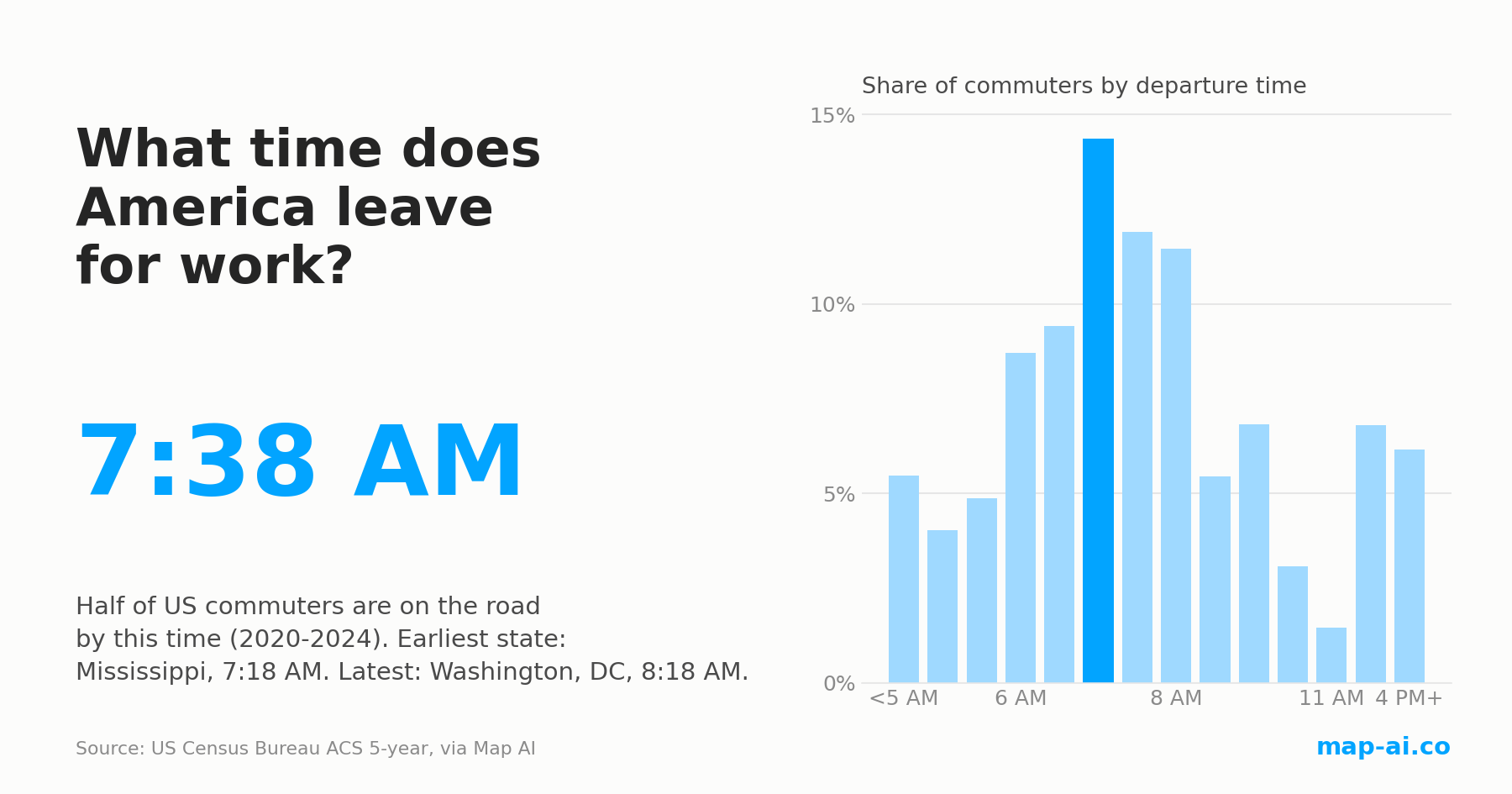
What Time Do Americans Leave for Work? Commute Start Times by State and County
Half of US commuters are on the road by 7:38 AM, the same as in 2009. The morning still changed: here is where America starts earliest and latest.
Read more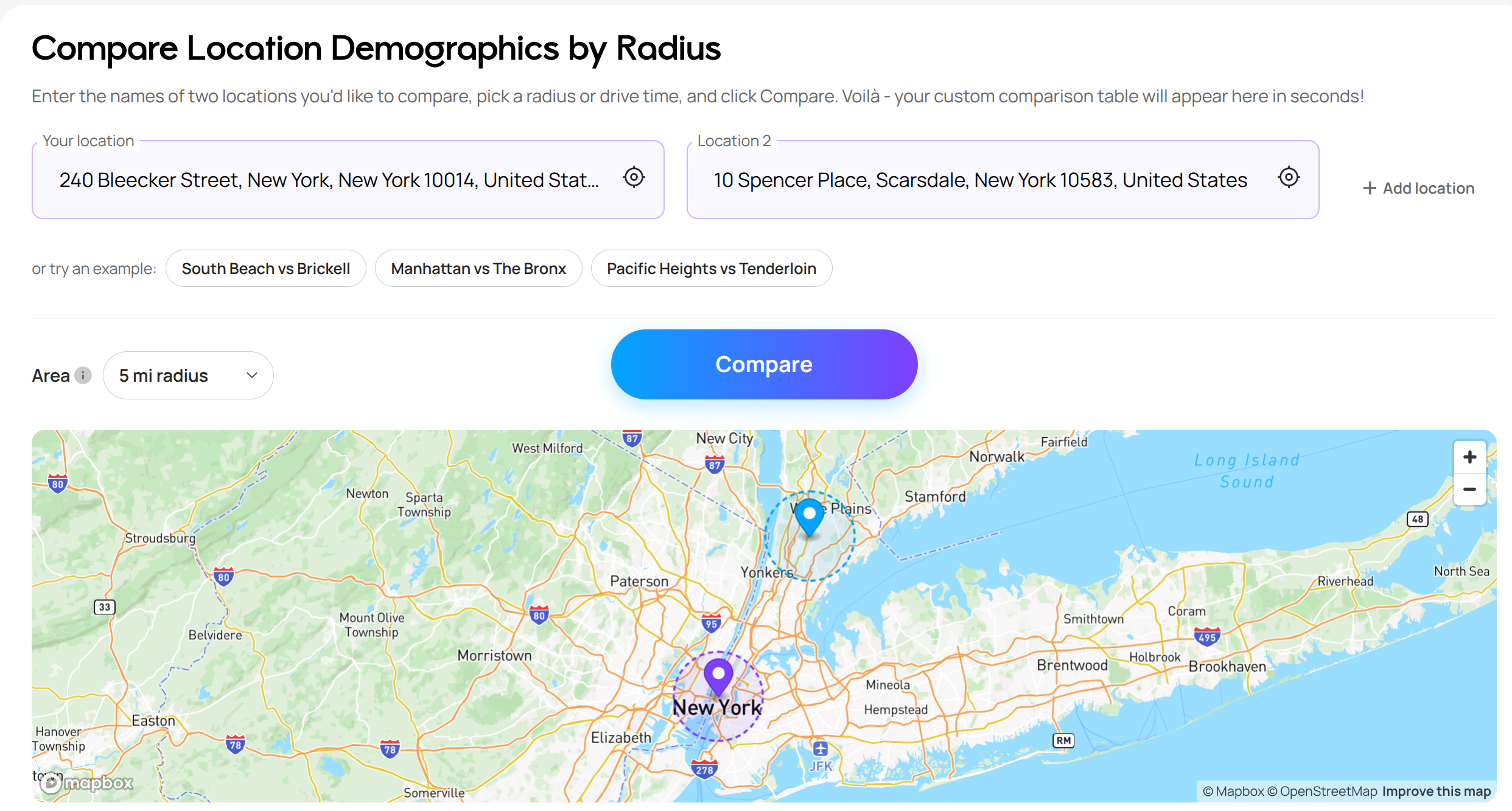
Still searching for the right place?
Use Map AI to explore, compare, and find the best fit - all with detailed insights and smart reports on any neighborhood.


